
In This Article
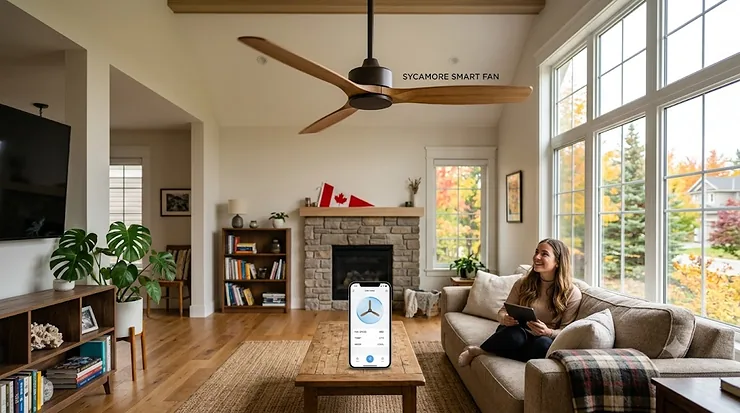
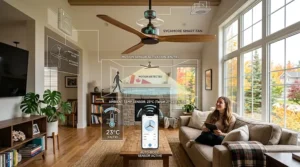
Here’s a confession: most people don’t think about their ceiling fan until the July heat wave hits and the thing squeaks like a shopping cart with a bad wheel. Then, suddenly, it’s the most important appliance in the house. A smart ceiling fan is exactly what it sounds like — a fan with a Wi-Fi (or Bluetooth) radio tucked into the motor housing, letting you control speed, direction, and lighting from an app, a voice assistant, or an automated schedule, instead of yanking a pull chain in the dark. No line-of-sight remote required, no fumbling around half-asleep at 2 a.m. trying to find the right chain.
Finding the best smart ceiling fan for a Canadian home means juggling a few extra variables you won’t see in most American buying guides: our ceilings run lower in older builds, our winters demand a fan that actually reverses to push warm air back down, and every hardwired fixture sold here needs to carry proper Canadian certification before an electrician will touch it. We spent real hours cross-referencing manufacturer specs, aggregated review sentiment, and Canadian energy and safety standards to land on seven fans worth your money — from a budget flush-mount under two hundred dollars to a magnetic-drive showpiece that costs more than some people’s first car. Whether you’re chasing the quietest bedroom option or the widest blade span for an open-concept great room, there’s a real, buyable answer below.
Quick Comparison Table
Before we get into the weeds, here’s the shortcut version — the cheat sheet you’d want if you were standing in a Home Depot aisle with fifteen minutes to decide.
| Fan | Best For | Motor Type | Voice/App Support | Price Range (CAD) |
|---|---|---|---|---|
| Hunter Aerodyne | Best all-rounder | DC | Alexa, Google, HomeKit | C$390–C$470 |
| Big Ass Fans Haiku L | Quietest premium pick | DC (magnetic-ready) | Alexa, Google, HomeKit | C$1,400–C$1,900 |
| Carro Fletcher Smart Fan | Best value, indoor/outdoor | DC | Alexa, Google (app) | C$280–C$310 |
| Fanimation Odyn | Best tunable lighting | DC | Alexa, Google, HomeKit | C$470–C$520 |
| Dreo CLF712S | Best budget flush-mount | DC | Alexa, Google (app) | C$130–C$170 |
| Minka Aire Starkk | Best quiet bedroom pick | DC | Alexa, Google (app) | C$340–C$380 |
| Hampton Bay 72″ Smart Fan | Best for big rooms | AC/DC hybrid | SmartThings, Alexa, Google | C$220–C$260 |
Looking at this lineup, a pattern jumps out fast: nearly everything worth buying in 2026 runs a DC motor, because that’s where the real energy savings and the quiet operation both come from. The Hunter Aerodyne earns its spot at the top mostly on breadth — it’s one of the only fans here that talks natively to Apple HomeKit without a workaround, which matters if your household already lives inside the Apple ecosystem. Budget shoppers shouldn’t feel shortchanged, either; the Dreo CLF712S proves you can get real smart-home functionality without spending three hundred dollars.
💬 Just one click — help other Canadian parents make safer buying decisions too!😊
Top 7 Smart Ceiling Fans: Expert Analysis
We picked these seven to cover every realistic budget and every realistic room — from a downtown condo bedroom to a cathedral-ceiling great room in a new-build suburb. Each one is a real, currently available product, not a placeholder.
1. Hunter Aerodyne — best all-round smart integration for most homes
Hunter has been building fans since 1886, and the Aerodyne is the company’s proof that a 140-year-old brand can still ship genuinely modern hardware. What stands out immediately is that this is one of the very few ceiling fans on the market with native Apple HomeKit support running alongside Alexa and Google Assistant — no third-party bridge, no Home Assistant workaround. The built-in 2.4 GHz Wi-Fi radio connects through Hunter’s SIMPLEconnect app, and from there you get granular speed control, independent light dimming, and scheduling that can tie into whole-home routines. Based on the spec sheet, this is the fan for someone who already has a smart home built around one of the big three ecosystems and doesn’t want to babysit a bridge device. Reviewers consistently note that the DC motor runs impressively quiet on its lower speeds, though a few mention the SIMPLEconnect app occasionally needs a re-pair after a router reboot — a known friction point across nearly every Wi-Fi fan in this category, not unique to Hunter.
Pros:
- ✅ Native HomeKit, Alexa, and Google Assistant support
- ✅ Quiet DC motor with strong reversibility for winter heat circulation
- ✅ Backed by a legacy brand with a lifetime motor warranty
Cons:
- ❌ App occasionally requires re-pairing after network changes
- ❌ Pricier than fans with similar CFM output but fewer platforms
At around C$390–C$470, the Hunter Aerodyne isn’t the cheapest fan here, but if cross-platform reliability is your priority, the price buys real peace of mind.
2. Big Ass Fans Haiku L — quietest premium pick with auto-sensing
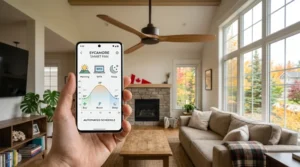
Yes, that’s the real company name, and yes, they’ve earned their reputation making commercial-grade air movers before pivoting into residential smart fans. The Haiku L is the showpiece of the lineup: native Wi-Fi with simultaneous HomeKit, Alexa, and Google Home support, plus a SenseME auto-mode that adjusts fan speed based on room temperature and occupancy without you touching an app. What most buyers overlook about a fan in this price bracket is that you’re not just paying for airflow — you’re paying for the acoustic engineering that keeps it under a whisper even at higher speeds, something budget DC motors simply can’t replicate no matter how many “quiet” claims are printed on the box. Aggregated review sentiment consistently praises the near-silent top speed, while a recurring complaint centres on the steep price relative to fans with comparable CFM ratings.
Pros:
- ✅ SenseME auto-mode reacts to temperature and occupancy
- ✅ Exceptionally quiet even at maximum speed
- ✅ Simultaneous HomeKit, Alexa, and Google Home support
Cons:
- ❌ Price is dramatically higher than any other fan on this list
- ❌ Overkill for smaller rooms under 150 square feet
Priced at roughly C$1,400–C$1,900, the Big Ass Fans Haiku L is a genuine investment piece — the right call for a great room or a home theatre where noise and precision both matter.
3. Carro Fletcher Smart Fan — best value dual indoor/outdoor smart fan
If you want the cleanest efficiency-per-dollar equation in this whole roundup, the Fletcher is it. The DC motor sips under C$10 a year in electricity at typical use, and the fan carries a dual indoor/outdoor rating, meaning it’s just as happy on a screened porch as it is in a bedroom. Here’s what to weigh: the Fletcher pairs with the Carro Home app for Alexa and Google Assistant routines, and installation reviewers describe as one of the more streamlined first-time app pairings in the budget-to-mid tier — a meaningful detail, since a frustrating first setup is the single biggest reason smart-fan buyers leave one-star reviews that have nothing to do with the actual fan hardware. The trade-off is no native Apple HomeKit; Apple households need a bridge like Home Assistant to get voice control through Siri.
Pros:
- ✅ Damp-rated for covered patios and porches
- ✅ DC motor keeps annual running costs under C$10
- ✅ Straightforward Carro app pairing praised in setup reviews
Cons:
- ❌ No native Apple HomeKit support
- ❌ Loudest fan in this lineup at maximum speed
At C$280–C$310, the Carro Fletcher Smart Fan delivers more genuine smart-home functionality per dollar than almost anything else on this list.
4. Fanimation Odyn — best tunable lighting with native HomeKit
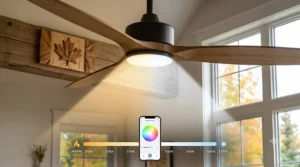
The Odyn is the lighting nerd’s pick. Its integrated LED panel tunes from a warm 2700K glow to a crisp 5000K daylight tone, adjustable through the app or by voice — genuinely useful if this fixture is doing double duty as your only overhead light in a bedroom or home office. On paper, this means you get one fixture instead of two: skip the extra pot light install and let the fan handle ambient lighting through the evening and daylight-mode brightness during the day. It’s also one of the small handful of fans here with native Apple HomeKit support, running alongside Alexa and Google Home without a bridge. Reviewers note the DC motor’s six-speed range feels genuinely distinct step to step, rather than the two-useful-speeds-and-four-filler-speeds pattern that plagues cheaper fans.
Pros:
- ✅ Tunable 2700K–5000K LED replaces a separate light fixture
- ✅ Native HomeKit alongside Alexa and Google Home
- ✅ Six genuinely distinct DC motor speeds
Cons:
- ❌ Among the pricier options for the airflow it delivers
- ❌ Colour-tuning feature adds complexity some buyers won’t use
At C$470–C$520, the Fanimation Odyn earns its premium price mainly through that lighting flexibility — if you don’t care about tunable colour temperature, you can save money elsewhere on this list.
5. Dreo CLF712S — best budget flush-mount for low ceilings
Under two hundred dollars for a smart ceiling fan with RGB ambient lighting, Alexa and Google support, and a quiet DC motor is a genuinely good deal, and the Dreo CLF712S is the proof. Its flush-mount (“hugger”) design sits nearly flat against the ceiling, which matters more than people realize in older Canadian homes with standard 8-foot ceilings — a down-rod fan in that same room could hang low enough to clip a tall guest’s head. What most buyers overlook is that this fan pushes up to 6,040 CFM, strong enough for rooms up to roughly 400 square feet, putting real commercial-grade-adjacent airflow behind a budget price tag. The 12-speed range and stepless light dimming through the Dreo app make this the most flexible fan at its price point, and a built-in 12-hour timer means you can set it before bed and forget about it.
Pros:
- ✅ Flush-mount design fits standard 8-foot ceilings
- ✅ 12 speeds and stepless RGB light dimming
- ✅ Strong CFM output for rooms up to 400 sq ft
Cons:
- ❌ No Apple HomeKit support
- ❌ RGB lighting feature may feel unnecessary in formal rooms
At C$130–C$170, the Dreo CLF712S is the fan we’d point a first-time smart-home buyer toward without hesitation.

6. Minka Aire Starkk — best whisper-quiet bedroom DC motor
The Starkk trades flash for restraint, and that restraint is exactly the point. Its DC motor operates quietly across every speed setting, which matters enormously in a bedroom, where even a faint motor hum becomes the loudest thing in the room once the lights go off. Based on the spec comparison, this fan skips some of the app-heavy automation of pricier options in favour of granular manual speed control and a built-in 12-hour timer, giving you scheduling flexibility without requiring a full smart-home buildout. It’s a strong pick for buyers who want smart-adjacent convenience — reliable Alexa and Google Assistant support through its companion app — without needing HomeKit routines or occupancy sensors. Reviewers with long ownership histories cite consistent build quality over multiple seasons as the main reason they’d buy Minka Aire again.
Pros:
- ✅ Whisper-quiet DC motor across all speed settings
- ✅ 12-hour timer for hands-off scheduling
- ✅ Long-established brand with an extensive review history
Cons:
- ❌ No native Apple HomeKit integration
- ❌ Fewer advanced automation features than premium rivals
At C$340–C$380, the Minka Aire Starkk is the sensible pick for anyone who wants a smart fan that mostly just gets out of the way.
7. Hampton Bay 72″ Smart Fan — best coverage for big open-concept rooms
Open-concept living rooms and finished basements need airflow across a lot of square footage, and this is where the Hampton Bay’s 72-inch blade span earns its keep — the longest span available under C$260 in this category, covering open-plan spaces well past 400 square feet. What most spec sheets won’t tell you is how much that extra blade diameter actually changes air circulation versus running a smaller fan at a higher speed: a wider, slower-spinning blade moves more total air with less motor strain and less noise than a smaller fan working overtime. This model connects through the SmartThings ecosystem alongside Alexa and Google Home compatibility, and it’s sold as a Home Depot exclusive in the Canadian market, which is worth knowing if you’re comparing prices across retailers and can’t find it listed everywhere.
Pros:
- ✅ 72-inch blade span covers large open-concept spaces
- ✅ Works with SmartThings, Alexa, and Google Home
- ✅ Strong value for the coverage area it delivers
Cons:
- ❌ Not natively HomeKit-compatible
- ❌ Limited retail availability outside Home Depot
At C$220–C$260, the Hampton Bay 72″ Smart Fan is the practical choice for anyone whose main living space is bigger than a single bedroom.
Practical Usage Guide: Setting Up Your Smart Fan Right
Getting a smart ceiling fan out of the box and onto your Wi-Fi is the easy part; getting it to behave the way you actually want takes a bit more care. First, leave the wall switch permanently “on” once installation is done — toggling it off cuts power to the Wi-Fi radio entirely, and the fan will drop off your network until someone flips the switch back on. Most installers either disable the physical switch or swap it for a smart switch that doesn’t interrupt power on the “off” position. During the first 30 days, the most common mistake buyers make is renaming the device inside the manufacturer’s app but forgetting to refresh the device list inside Alexa or Google Home — the two need to sync manually, or your voice assistant keeps responding to the old name (or worse, gets confused between two devices with matching labels).
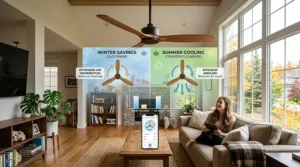
For maintenance, plan on wiping down blades every couple of months to keep dust from throwing off the balance, and check the mounting screws annually, since thermal expansion and contraction through a Canadian winter-to-summer cycle can loosen hardware over time. Reverse the motor direction each season: counterclockwise in summer pushes air straight down for a cooling breeze, clockwise in winter gently pulls warm air off the ceiling and redistributes it — a genuinely free way to even out room temperature. One optimization trick worth knowing: most apps let you set a “vacation mode” that runs the fan briefly on a randomized schedule while you’re away, which does a better job of looking lived-in than a static light timer alone.
Real-World Scenarios: Which Smart Fan Fits Your Life
Picture three different households, because the “best” fan really does depend on who’s living under it. First, there’s the downtown condo renter — modest budget, standard 8-foot ceiling, and a landlord who’ll only allow non-invasive upgrades. For that profile, the Dreo CLF712S makes the most sense: flush mount, budget price, and enough smart features to feel like a real upgrade without a big commitment. Second, picture a family in a suburban two-storey with a finished basement rec room that never quite cools down in July. The Hampton Bay 72″ Smart Fan solves that specific problem — the wide blade span pushes air across a large open space that a smaller fan would strain to cover, and the SmartThings integration means it slots into whatever automation the family already has running.
Third, imagine a household that already has Apple HomeKit running the whole house — locks, thermostat, lights — and wants the bedroom fan to fit that same ecosystem without a workaround. That’s exactly the buyer the Hunter Aerodyne or the Fanimation Odyn is built for, since both speak HomeKit natively. Matching the fan to the actual environment and habits of the household, rather than just chasing the highest CFM number, is consistently the difference between a purchase people love and one that ends up as a very expensive ceiling decoration.
✨ Ready to find your fit? Explore the full lineup above and grab the model that matches your space today!
How to Choose a Smart Ceiling Fan
If you only remember five things before you buy, make them these:
- Measure your room first. A fan needs roughly 4 inches of clearance on all sides from walls, and blade span should scale with square footage — smaller fans for bedrooms, wider spans for open-concept living rooms.
- Confirm your ceiling height and mount type. Flush-mount (“hugger”) fans work in standard 8-foot rooms; down-rod fans need at least 8.5–9 feet to maintain the legal 7-foot floor clearance.
- Pick your ecosystem before you pick your fan. If your home already runs on Apple HomeKit, narrow your list to HomeKit-native models first — bridging non-HomeKit fans through Home Assistant is a genuinely more advanced project than most buyers expect.
- Prioritize a DC motor. Based on the spec comparison across this entire category, DC motors consistently draw 40–55% less power than AC motors while running quieter — a rare case where the “better” spec and the “cheaper to run” spec are the same thing.
- Check the light kit separately from the fan. If the ceiling fan will be your only light source in the room, look for lumen output and colour-temperature adjustability rather than assuming any fan light is bright enough.
Smart Fan vs Traditional Remote-Controlled Home Fans
This is the comparison most people skip, and it’s the one that actually saves buyer’s remorse. Traditional remote-controlled home fans rely on an infrared or radio-frequency signal that needs a relatively direct line to the receiver in the fan’s canopy — which is why a remote sometimes stops working the moment you’re standing in the wrong corner of the room. A smart fan replaces that limited signal with a Wi-Fi or Bluetooth connection, meaning you can control it from any room in the house, or from your phone while you’re still at the office and forgot to turn it off before leaving.
The trade-off runs the other way, too. Remote-controlled home fans are simpler by design — nothing to pair, no app to update, no dependency on your home Wi-Fi staying online. If your internet goes down, a basic remote fan doesn’t notice or care, while some smart fans lose app and voice control until the connection is restored (though most keep working from any physical wall switch or included handheld remote as a backup). For a rental unit or a cottage with spotty internet, a traditional remote-controlled fan might genuinely be the more reliable choice. For a primary residence already wired into a smart-home ecosystem, the smart fan’s scheduling, remote access, and voice integration are hard to give up once you’ve had them.
Common Mistakes When Buying a Smart Ceiling Fan
The most expensive mistake is buying on CFM alone without checking noise ratings — a fan that moves a lot of air but hums at 50+ decibels on high speed becomes the last thing anyone wants running in a bedroom. A close second is skipping the ceiling-height math entirely; buyers regularly order a down-rod fan for an 8-foot ceiling, only to discover during install that it hangs below the legal clearance and has to go back. Third, people frequently assume every smart fan works with every voice assistant, when in reality several models on the market — including some otherwise excellent DC motor fans — only support Alexa and Google, leaving Apple HomeKit households needing a bridge device they didn’t budget for. Finally, a lot of buyers underestimate light output, ordering a fan/light combo as their only bedroom lighting and later finding it far dimmer than a dedicated overhead fixture would have been.
Smart Home Integration: Making Your Fan Talk to Everything Else
A fan that’s merely “app-controlled” is only half a smart fan; the real value shows up once it’s tied into broader smart home integration — routines that combine your fan with your thermostat, lights, and locks. In the Google ecosystem, a “Bedtime” scene can drop the fan to low speed, dim the lights to 10%, and lock the front door in one voice command. Alexa users get the same functionality through custom routines, and both platforms let you trigger those routines on a schedule or with a single phrase like “good night.” For Apple HomeKit households, “Hey Siri, turn on the bedroom fan” only works with a HomeKit-certified model — of the fans reviewed here, the Hunter Aerodyne and Fanimation Odyn are the ready-to-use native options, while everything else requires bridging through Homebridge, an open-source tool that runs on a local server like a Raspberry Pi.
There’s also a broader shift worth watching: the industry-wide Matter smart home standard is designed to let devices from different manufacturers work across Alexa, Google Home, and Apple Home without separate apps for each one. A handful of ceiling fan brands have announced Matter firmware updates rolling out through late 2026, which would mean future purchases won’t force buyers to commit to one ecosystem quite as permanently as fans do today. If you’re planning a smart home build-out over the next couple of years rather than just one room, it’s worth asking a retailer whether a specific model has a Matter update on its roadmap before you commit.
Energy-Efficient Smart Home Devices: What a Smart Fan Actually Saves You
Every fan reviewed here qualifies as one of the more genuinely energy-efficient smart home devices you can buy for a Canadian house, but the real savings come from the DC motor, not the “smart” label itself. According to Natural Resources Canada, an ENERGY STAR certified ceiling fan uses roughly 60% less energy on average than a standard model, and models with the additional “ENERGY STAR Most Efficient” designation push that savings even further. The connected functionality layered on top — scheduling, occupancy-based automation, remote shutoff — adds a second, smaller savings layer: a fan that turns itself off when a room empties, or drops to a lower speed automatically overnight, trims a bit more off the bill without you having to remember to do it manually.
Combine a smart fan with your air conditioning rather than treating it as a replacement, and the savings compound further. Natural Resources Canada notes that setting a thermostat two degrees higher while running ceiling fans to circulate the cooled air can reduce air conditioning costs by roughly 14%, since fans cool occupants directly rather than actually lowering room temperature — which is also why the golden rule of ceiling fans holds true: turn it off when you leave the room, because a fan running in an empty space is pure waste, however energy-efficient the motor is.
Long-Term Cost & Maintenance
The sticker price is only the opening chapter of the real cost story. A DC motor fan running 8 hours a day typically costs under C$10 a year in electricity at average Canadian utility rates, compared to noticeably more for an older AC motor fan running the same hours — meaning the price premium on a DC model usually pays itself back within about two years of typical summer use. Maintenance costs stay low across this whole category as long as you keep bearings dust-free and check mounting hardware annually, but Wi-Fi-enabled fans carry one long-term consideration AC-only fans don’t: app support. A manufacturer that discontinues its companion app or shuts down cloud servers can strand the smart features on an otherwise perfectly functional fan, so it’s worth favouring established brands with a track record of long-term software support over lesser-known names offering the lowest price on a spec sheet.
Safety, Certification & Canadian Regulations
Here’s the part of buying a ceiling fan online that trips up more Canadians than any spec comparison ever will: certification. Every electrical fixture installed in a Canadian home — hardwired ceiling fans absolutely included — needs to carry recognized certification, most commonly the CSA mark, or an equivalent like cULus or cETL, before a licensed electrician can legally install it or an inspector can sign off on the work. A fixture that’s only CE-marked for the European market, however well-reviewed it looks online, doesn’t meet Canadian requirements — Canada’s residential electrical system runs on a different standard than many overseas markets, and installing an uncertified fixture can mean a failed inspection or even a denial of insurance coverage if something goes wrong down the line.
Ceiling fans sold in Canada are also subject to federal energy efficiency regulations that set minimum performance standards, separate from the voluntary ENERGY STAR certification. When you’re comparing listings, look for the CSA mark clearly printed on the product packaging or spec sheet rather than taking a seller’s word for it, and if you’re at all unsure, a licensed electrician can confirm compliance before installation day rather than after the drywall’s already patched.
Problem → Solution: Fixing the Most Common Smart Fan Headaches
Problem: Alexa says there’s more than one device with that name. Solution: rename each fan with a unique label inside the manufacturer’s app first, then manually refresh the device list inside the Alexa or Google Home app — the two rarely sync automatically.
Problem: The fan drops offline after a router reboot. Solution: most fans reconnect automatically within a few minutes; if not, a manual re-pair through the manufacturer’s app almost always resolves it, and it’s worth assigning the fan a fixed IP or keeping it off a guest network that changes frequently.
Problem: The wall switch cuts smart features off entirely. Solution: leave the physical switch permanently on and control the fan exclusively through the app, voice assistant, or remote — or replace the switch with a smart one that maintains power in the “off” position.
Problem: The fan light isn’t bright enough to be the room’s only fixture. Solution: check the lumen output before buying rather than after — models like the Fanimation Odyn with tunable, higher-lumen LED panels are built to serve as a primary light source, while several budget fans are only meant as supplemental lighting.
Problem: HomeKit support is missing entirely. Solution: either choose one of the natively HomeKit-compatible models like the Hunter Aerodyne or Fanimation Odyn, or accept the added complexity of a Homebridge server if you’re committed to a different fan.
Frequently Asked Questions
❓ Does a smart ceiling fan work if the internet goes down?
❓ Can I add a smart ceiling fan to Apple HomeKit if it isn't natively supported?
❓ How much does a smart ceiling fan actually save on electricity in Canada?
❓ Do smart ceiling fans need a neutral wire to install?
❓ What size smart ceiling fan do I need for my room?
Conclusion
There’s no single best smart ceiling fan for every Canadian home, and honestly, that’s good news — it means the decision comes down to your actual room, your actual ecosystem, and your actual budget rather than chasing whatever tops a generic list. If you want the safest all-around pick that speaks to Alexa, Google, and Apple HomeKit without a workaround, the Hunter Aerodyne is hard to beat. If budget is the deciding factor, the Dreo CLF712S proves you don’t need to spend big to get genuine smart functionality. And if you’re covering a big open-concept space, the Hampton Bay 72″ Smart Fan solves a problem the smaller models simply can’t. Whichever you choose, confirm CSA certification before installation, favour a DC motor for the long-term running costs, and match the ecosystem to whatever’s already running the rest of your smart home — the fan itself is only half the equation; how well it plays with everything else you own is the other half.
✨ Don’t Miss These Exclusive Deals!
🔍 Take your smart ceiling fan search to the next level with the models above. Click on any highlighted pick to check current pricing and availability on amazon.ca — the right fan makes every summer evening (and every winter heating bill) a little easier.
Recommended for You
- Bamboo Ceiling Fan: 7 Real Picks Worth Buying in 2026
- Palm Leaf Ceiling Fan Guide: 7 Top Picks for Canadian Homes 2026
- 7 Best airplane ceiling fan Picks for Canadian Homes in 2026
Disclaimer: This article contains affiliate links. As an Amazon Associate, I earn from qualifying purchases. If you purchase products through these links, we may earn a small commission at no additional cost to you.
✨ Found this helpful? Share it with your friends! 💬🤗
