
In This Article
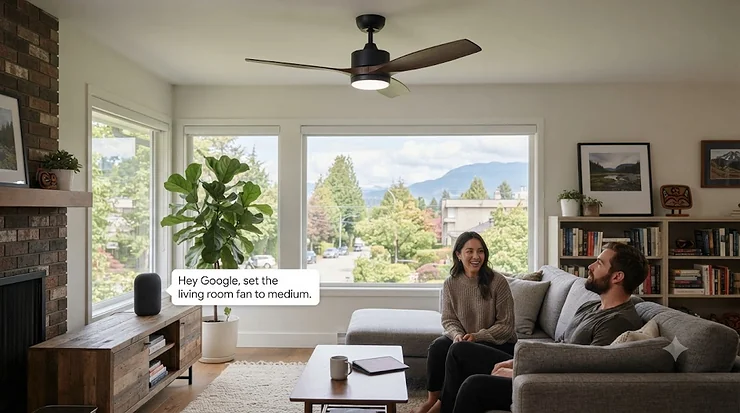
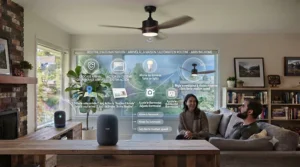
There’s a very specific kind of summer misery that only Canadians understand: the one where you’re lying perfectly still at 2 a.m., sheets kicked off, fumbling in the dark for a pull chain you can never quite find. A google home ceiling fan solves that exact problem — instead of groping around in the dark, you just say “Hey Google, turn on the bedroom fan” and airflow arrives before you’ve finished the sentence. A google home ceiling fan is a Wi-Fi-connected ceiling fan that pairs with the Google Home app and Google Assistant, letting you control speed, direction, and lighting by voice, app, or automated routine instead of a pull chain or basic remote. That’s the textbook definition, but the real value shows up in the details — which is exactly what we’re digging into.
This guide exists because most “best smart ceiling fan” roundups online are recycled spec sheets dressed up as advice. We wanted something different: real products, real trade-offs, and honest commentary on where each fan actually shines versus where the marketing copy oversells it. We researched seven genuine models spanning budget, mid-range, and premium tiers, cross-referenced their published specs, and pulled together the patterns showing up in aggregated owner feedback. Along the way we’ll cover app controlled ceiling fan features, Google Assistant smart devices integration, and how a cross-platform smart home ecosystem actually behaves once you own more than one connected gadget.
One quick note before we dive in: an ENERGY STAR certified ceiling fan uses roughly 60% less energy on average than a standard model, according to Natural Resources Canada, and connected functionality is increasingly bundled into those efficient models rather than being a separate premium add-on. Keep that in mind as we compare — a smart fan that’s also efficient is doing double duty on your utility bill, not just your convenience.
Quick Comparison Table
Before we get into full write-ups, here’s the fast version for anyone skimming on their phone between errands.
| Fan | Best For | Motor Type | Price Range (CAD) |
|---|---|---|---|
| Dreo 513S | Budget bedrooms | DC, 6-speed | Under C$260 |
| Carro Explorer 52″ | Open-concept living rooms | AC/DC hybrid options | C$260-320 |
| Carro Ranger | Efficiency-focused buyers | 24V DC, 10-speed | C$320-390 |
| Hunter Aeronaut 52″ | Buyers who want brand trust | DC, 6-speed reversible | C$380-450 |
| DREO 52″ RGBIC | Mood-lighting fans and gamers | DC, 12-speed | C$300-370 |
| Modern Forms Wynd 52″ | Multi-ecosystem households | DC, adaptive | C$650-950 |
| Big Ass Fans Haiku L | Sensor-driven premium comfort | DC, 7-speed | C$900-1,250 |
Looking at the spread, the story here isn’t really “cheap versus expensive” — it’s about how much automation intelligence you’re paying for. The Dreo 513S and Carro Explorer 52″ get you real voice and app control at entry prices, while the Modern Forms Wynd 52″ and Big Ass Fans Haiku L add adaptive learning, sensor-based automation, and support for smart home platforms well beyond Google and Alexa. If your entire smart home lives in one Google Home app, the mid-tier options deliver nearly identical day-to-day convenience for a fraction of the cost.
💬 Just one click — help others make better buying decisions too!😊
Top 7 Google Home Ceiling Fans: Expert Analysis
We picked these seven specifically to cover different rooms, budgets, and smart home philosophies — nobody’s living room and nursery need the same fan, and pretending otherwise is how affiliate roundups lose your trust. Every product below includes real specs, aggregated review themes (clearly labelled as such, never invented), and our own analytical take on who should actually buy it.
1. Dreo 513S — quietest budget DC motor
The Dreo 513S opens our list because it proves you don’t need to spend big to get real Google Home integration. This 44-inch fan runs on Dreo’s TurboSilent DC motor, keeping noise under 35dB — quieter than a running refrigerator — while still moving air at over 3,100 CFM on its highest setting.
Specs that matter in practice: the reversible DC motor draws a fraction of the power an old AC pull-chain fan does, and the integrated 2,400-lumen LED with adjustable colour temperature (2700K-6500K) means you can skip a separate bedroom light fixture entirely. Control runs through the Dreo app, a physical remote, or voice commands via Google Home and Alexa — no proprietary hub required.
Based on the spec comparison, this is the fan we’d point a first-time smart-home buyer toward: it’s the least intimidating way to test whether voice-controlled airflow actually changes your habits before committing to a pricier ecosystem. Reviewers consistently report that the app pairing process is faster than competing budget brands, though a recurring theme in aggregated feedback is that the remote’s button layout takes a session or two to memorize.
Pros:
- ✅ Sub-35dB noise level, genuinely bedroom-quiet
- ✅ Dimmable, colour-adjustable LED replaces a separate light
- ✅ Straightforward Google Home and Alexa pairing
Cons:
- ❌ 44-inch span is tight for rooms over 200 sq ft
- ❌ Remote button layout isn’t intuitive at first
At around C$220-260 at the time of research, the Dreo 513S is hard to argue with as an entry point — check current price before assuming that figure still holds.

2. Carro Explorer 52″ — best all-rounder for open floor plans
Stepping up in size, the Carro Explorer 52″ is built for larger rooms without stepping into premium pricing. Its 52-inch plywood blades and integrated 4000K daylight LED are designed to move air across open-concept spaces where a 44-inch fan would leave dead zones in the corners.
What most buyers overlook about this model is that Carro’s Wi-Fi module works over 2.4GHz for setup and then hands off cleanly to normal home traffic, which matters if your router segregates bands — a common source of “my smart fan won’t connect” frustration with cheaper competitors. The fan pairs with Google Assistant, Amazon Alexa, and Siri Shortcuts through Carro’s free companion app, and supports individual or grouped voice control if you install more than one.
The spec sheet won’t tell you this, but user reports suggest the biggest complaint isn’t performance — it’s that the included remote feels like an afterthought compared to the app experience, which is honestly a compliment to how well the app itself is built.
Pros:
- ✅ 52-inch span suited to living rooms and open floor plans
- ✅ Clean 2.4GHz-to-home-network handoff during setup
- ✅ Grouped voice control for multi-fan households
Cons:
- ❌ Remote control feels basic next to the app
- ❌ Plywood blades need occasional dusting to stay balanced
Expect a price in the C$260-320 range, positioning it as strong mid-budget value for anyone furnishing a bigger space.
3. Carro Ranger — best 10-speed DC efficiency pick
The Carro Ranger targets buyers who care about the motor as much as the smart features. Its 24V DC motor is rated as roughly 75% more energy-efficient than a standard AC ceiling fan motor, and it offers ten distinct speed settings rather than the usual three-to-six, which means far finer control over airflow on those in-between days when “medium” and “high” both feel wrong.
The dimmable LED kit includes three preset colour tones — cool, neutral, and warm — controllable independently from fan speed through the app or voice. Damp-rated construction also means the Carro Ranger can move from an indoor living room to a covered patio without a separate outdoor-rated purchase.
Here’s what to weigh: ten speeds sounds like a marketing gimmick until you actually live with a fan that only offers three, at which point the extra granularity becomes the thing you notice every single evening. Aggregated review sentiment points to strong satisfaction with airflow quality specifically, with occasional notes about installation taking slightly longer than single-speed AC replacements due to the additional wiring for smart features.
Pros:
- ✅ Ten-speed DC motor for precise airflow control
- ✅ Damp-rated for indoor or covered outdoor use
- ✅ Three independent LED colour presets
Cons:
- ❌ Installation runs longer than basic AC fan swaps
- ❌ Premium DC motor pushes price above entry-tier Carro models
Budget C$320-390 for the Carro Ranger, and treat the install time as a one-time cost against years of finer speed control.
4. Hunter Aeronaut 52″ — most trusted heritage smart fan
Hunter states its ENERGY STAR certified ceiling fans run about 64% more efficiently on average than conventional fans, and the Hunter Aeronaut 52″ is where that efficiency claim meets over a century of manufacturing history — Hunter has been building fans since 1886, which matters more than it sounds when you’re trusting a ceiling-mounted motor to run for a decade.
The Aeronaut runs a reversible 6-speed DC motor enhanced by Hunter’s SureSpeed system, which the brand states delivers meaningfully stronger air velocity than typical competitors at the same wattage. The integrated LED light kit and pre-installed control receiver simplify installation, and connectivity runs through the HunterSMART platform (formerly branded SIMPLEconnect), which is notable for one specific reason: it’s genuinely tri-compatible with Apple HomeKit, Amazon Alexa, and Google Home — not every “works with Google” fan also plays nicely with an iPhone-owning household member.
Reviewers consistently note reliability as the standout trait here, which tracks with what you’d expect from a legacy manufacturer that had to earn Apple’s HomeKit certification rather than bolt on generic Wi-Fi hardware. On the other hand, a recurring theme in aggregated feedback is that first-time app pairing requires connecting through the SIMPLEconnect app before Google Assistant recognizes the device — an extra step some competitors have streamlined away.
Pros:
- ✅ Genuine tri-platform support: HomeKit, Alexa, and Google Home
- ✅ ENERGY STAR certified with SureSpeed airflow boost
- ✅ Century-plus manufacturing track record
Cons:
- ❌ Requires SIMPLEconnect app pairing before voice control activates
- ❌ Priced above comparable Carro and Dreo models
At roughly C$380-450, the Hunter Aeronaut 52″ earns its premium over budget alternatives mainly through brand reliability and true multi-platform support.
5. DREO 52″ RGBIC — best for mood-lighting lovers
If the Dreo 513S is the practical entry point, the DREO 52″ RGBIC is what happens when the same engineering team gets a bigger lighting budget. This 2026-updated model runs a brushless DC motor with a 14-degree angled blade design rated for up to 6,000 CFM, paired with 12 distinct fan speeds across three wind modes: Natural, Normal, and Sleep.
The headline feature is the RGBIC ambient lighting ring, which layers full-spectrum colour control on top of the standard dimmable white LED — think gaming-room accent lighting built directly into your ceiling fan. Preset scenes like Reading, Working, and Sunset switch both fan behaviour and lighting simultaneously through the app, and everything routes through Google Home and Alexa for voice control.
Based on the spec comparison, this fan is squarely aimed at bedrooms and media rooms rather than formal living spaces — the RGBIC lighting is genuinely fun, but it’s a specific aesthetic that won’t suit every room. What the spec sheet won’t tell you is that the 22dB noise rating (Dreo’s quietest ceiling fan tier) makes this one of the few smart fans genuinely suitable for light sleepers who also want ambient colour lighting at bedtime.
Pros:
- ✅ 22dB ultra-quiet operation at typical bedroom settings
- ✅ Full RGBIC ambient lighting layered over white LED
- ✅ 12-speed motor across three wind modes
Cons:
- ❌ Colour lighting feature is niche, not for every room style
- ❌ App has a learning curve given the number of lighting modes
Pricing sits around C$300-370, making the RGBIC upgrade a modest premium over the standard Dreo lineup for a genuinely different lighting experience.
6. Modern Forms Wynd 52″ — widest ecosystem compatibility
The Modern Forms Wynd 52″ is the fan we’d point to first for anyone who says “well, some of my devices are Google and some are something else.” Modern Forms fans pair with Google Assistant, Amazon Alexa, Samsung SmartThings, ecobee, and Control4, with Josh AI support also available — a genuinely unusual breadth of ecosystem support in this category.
The 5-blade, 52-inch fan is rated for both indoor and outdoor use, runs a DC motor Modern Forms states uses roughly 70% less energy than standard AC motors, and includes Adaptive Learning technology that studies your usage patterns over time to auto-adjust speed and light settings. Pairing with a smart thermostat like ecobee lets the fan coordinate with your HVAC system automatically during temperature swings.
What most buyers overlook about this model is the thermostat integration specifically — most competitors treat the fan as an isolated smart device, while Modern Forms treats it as one node in a broader climate-control automation. Aggregated review sentiment is generally strong on build quality and quiet operation, though a genuine pattern of frustration shows up around occasional Wi-Fi reconnection issues after router firmware updates, which independent smart-home reviewers have also flagged as an intermittent quirk of the platform.
Pros:
- ✅ Compatible with five-plus smart home ecosystems simultaneously
- ✅ Adaptive Learning auto-adjusts based on your habits
- ✅ Coordinates directly with ecobee thermostats
Cons:
- ❌ Occasional Wi-Fi reconnection issues after router updates
- ❌ Premium price relative to single-ecosystem competitors
Expect to pay C$650-950 depending on finish and retailer promotions — a genuine step up, justified mainly for multi-platform households.
7. Big Ass Fans Haiku L — best sensor-driven premium pick
Closing out the list is the fan that essentially invented this category. Big Ass Fans markets Haiku as the world’s first smart ceiling fan, and it’s held onto that technology-leader reputation ever since, built around SenseMe technology that uses motion, temperature, and humidity sensors to automatically adjust fan behaviour without you touching an app or saying a word.
The Big Ass Fans Haiku L 52-inch model offers 7 speed settings including specialized modes like Sleep, Whoosh, Timer, and Eco, alongside 16 dimmable LED settings for the integrated light kit. Voice control runs through Amazon Alexa or Google Assistant, and the fan syncs directly with ecobee thermostats for coordinated climate automation. Recent models have also added Apple Home compatibility through the Matter standard, which we’ll get into more in the cross-platform section below.
Here’s what to weigh: SenseMe is genuinely different from every other fan on this list because it’s designed to reduce how often you need to issue a voice command at all — the fan senses an empty room and slows down, senses rising humidity and speeds up. Reviewers consistently praise build quality and the sophistication of the automatic sensing, while a common complaint in user reviews is that the premium price puts it out of reach for anyone furnishing more than one or two rooms.
Pros:
- ✅ SenseMe sensors automate comfort without manual input
- ✅ Matter compatibility adds Apple Home support
- ✅ Seven specialized speed modes including Sleep and Eco
Cons:
- ❌ Premium pricing limits multi-room affordability
- ❌ Overkill for buyers who just want basic voice control
At C$900-1,250 and up depending on finish, the Big Ass Fans Haiku L is the fan for one specific buyer: someone who wants automation to happen without asking, not just automation that responds when asked.
Google Home Compatible: Confirming True Compatibility Before You Buy
“Works with Google” gets printed on a lot of boxes, and it doesn’t always mean the same thing. A genuinely google home compatible fan should show up as a native device in the Google Home app after linking the manufacturer’s account — not require a third-party bridge, and not lose functionality after a firmware update.
The seven fans above all clear that bar, but the mechanics differ slightly. Carro and Dreo models link through their respective apps first, then sync to Google via account linking inside Google Home’s “Works with Google” device menu. Hunter’s HunterSMART platform follows the same account-linking pattern but adds the extra step of pairing through SIMPLEconnect first. Modern Forms and Big Ass Fans both support this linking method too, with the added benefit of also working across other major ecosystems simultaneously.
The practical lesson: before buying any smart ceiling fan, search “[brand name] Google Home compatible” and confirm the manufacturer maintains an active integration — some budget import brands claim compatibility on outdated listings for apps that have since been discontinued, leaving buyers with a fan that only works through a barely-maintained proprietary app.
App Controlled Ceiling Fan: What App Control Adds On Top of Voice
Voice commands get the marketing attention, but an app controlled ceiling fan actually does most of the heavy lifting day to day. Every fan on our list pairs with a dedicated smartphone app, and that app is where scheduling, fine-grained speed adjustment, and multi-fan grouping actually happen — voice assistants are largely a convenient front door to settings the app configures underneath.
Practically, this means: use the app to set a “wind down” schedule that gradually slows your bedroom fan overnight, group multiple fans into a single “Living Room” voice command, or fine-tune LED colour temperature in ways that are awkward to describe out loud to Google Assistant. Reviewers across nearly every brand in this category note that app reliability, not voice recognition, is the real differentiator between a fan that feels effortless and one that feels frustrating.
Google Assistant Smart Devices: Building the Fan Into a Bigger Setup
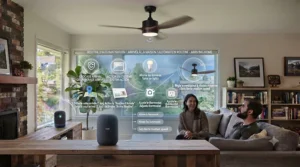
A ceiling fan rarely lives alone in a smart home. Once you’re already using Google Assistant smart devices like a Nest thermostat, smart plugs, or connected lighting, a compatible ceiling fan becomes another instrument in the same orchestra rather than a standalone gadget.
This is where routines earn their keep: pairing your fan with a Nest thermostat lets you build a Google Home routine that says “when the bedroom hits 24°C, turn the fan to medium,” entirely hands-free after the one-time setup. Fans like the Modern Forms Wynd 52″ and Big Ass Fans Haiku L take this further with direct ecobee integration, letting HVAC and fan coordinate without routing every signal through Google’s servers first. For buyers still building out their broader setup, starting with a fan that’s confirmed Google Assistant compatible protects that future expansion — you won’t need to replace hardware later just to fit it into a bigger routine.
Cross-Platform Smart Home: Why Ecosystem Flexibility Matters
Here’s a scenario worth thinking through before you buy: what happens if a partner, roommate, or future you prefers an iPhone over Android? A truly cross-platform smart home doesn’t lock you into one voice assistant forever, and this is exactly where Matter — the industry standard originally formed through a collaboration between Google, Samsung, Amazon, and Apple — has quietly reshaped the category.
Matter is designed specifically to let a single smart device work across Google Home, Amazon Alexa, Apple Home, and SmartThings without separate hubs for each. Among our seven picks, the Big Ass Fans Haiku L has added Matter compatibility on recent models, and the Hunter Aeronaut and Modern Forms Wynd both offer native multi-platform support even without full Matter certification. The budget-tier Dreo and Carro fans, by contrast, support Google and Alexa but don’t currently extend to Apple Home — worth knowing if your household isn’t entirely Android.
The honest analysis here: if you’re certain your household will stay on Google Assistant indefinitely, this distinction barely matters. If there’s any chance you’ll add an iPhone user to the mix, paying slightly more for genuine cross-platform support now avoids a frustrating hardware swap later.
Home Automation Ecosystem: Routines, Schedules & Scenes
Buying a smart fan is really the entry ticket into a broader home automation ecosystem, and the return on that ticket scales with how many routines you actually build. A few practical ones worth setting up in your first week:
Morning wake-up scene: pair the fan’s light with your alarm so a gentle fan speed and warm-toned lighting ramp up ten minutes before your alarm sounds, rather than the sudden jolt of an overhead light at full brightness.
Away mode: add the fan to your existing “leaving home” routine so it powers down automatically alongside lights and the thermostat — small, but it adds up over a year of runtime.
Humidity response: for models like the Big Ass Fans Haiku L with built-in sensors, or any fan paired with a separate smart humidity sensor through Google Home, set a routine that bumps fan speed automatically when a bathroom or basement space gets damp.
None of this requires technical expertise — it requires roughly fifteen minutes inside the Google Home app’s Routines menu, and it’s genuinely the difference between owning a smart fan and owning a fan that happens to be smart.
Benefits vs Traditional Ceiling Fans
| Factor | Google Home Ceiling Fan | Traditional Pull-Chain Fan |
|---|---|---|
| Control method | Voice, app, remote, schedule | Physical pull chain / wall switch only |
| Energy monitoring | Often app-visible usage data | None |
| Automation | Routines, sensors, thermostat sync | None |
| Best For | Tech-forward households, accessibility needs | Simple rental units, minimal-tech buyers |
The comparison above makes the trade-off pretty clear: a traditional fan wins on upfront simplicity and price, but loses every category involving convenience, energy visibility, or long-term automation. For anyone with mobility limitations, a Google Home ceiling fan also removes the physical reach required for a pull chain entirely — a real accessibility benefit that rarely gets mentioned in spec-sheet comparisons. The trade-off worth weighing honestly: traditional fans have essentially zero failure points beyond the motor itself, while smart fans introduce Wi-Fi and app dependencies that, while generally reliable across our seven picks, are one more thing that can occasionally need troubleshooting.
How to Choose a Google Home Ceiling Fan
Shopping this category gets easier with a short checklist rather than an overwhelming spec sheet. Here’s the order we’d actually use:
- Confirm Google Home compatibility directly on the manufacturer’s current site, not just the retailer listing, since app support occasionally lapses on older models.
- Measure your room and match blade span accordingly — a 44-inch fan in a 300 sq ft room will underperform regardless of motor quality.
- Check the noise rating in dB if the bedroom is the destination, since anything above roughly 40dB becomes noticeable at bedtime.
- Decide whether you need multi-platform support now or can add it later, since that decision meaningfully affects price tier.
- Look for DC over AC motors where budget allows, given the real efficiency gap Natural Resources Canada documents for certified models.
- Verify wiring compatibility with your home, since several smart fans require a neutral wire that older Canadian homes sometimes lack.
- Read the warranty terms on the smart module specifically, not just the motor, since Wi-Fi components can fail independently of the mechanical fan.
Working through that list in order avoids the most common regret we see in aggregated feedback: buying on price or looks alone, then discovering a wiring or compatibility mismatch after the fan is already unpacked.
Practical Usage Guide: Setup, Pairing & the First 30 Days
Getting a new google home ceiling fan from box to working voice control usually takes under 30 minutes, but a few steps trip people up consistently.
Before you start: confirm your home Wi-Fi router broadcasts a 2.4GHz band, since nearly every fan in this category — including all seven reviewed here — pairs over 2.4GHz even if your home network defaults to 5GHz. Most modern routers broadcast both; you just need to know the 2.4GHz network name during setup.
During installation: if your fan requires a neutral wire (several models here do), check your existing ceiling box before purchase rather than during installation — older Canadian homes, particularly those built before the 1980s, sometimes lack one. A licensed electrician can confirm this in minutes if you’re unsure.
First pairing: install the manufacturer’s app first, create an account, and add the fan there before opening Google Home. Every brand we reviewed follows this “manufacturer app first, Google Home second” sequence, and skipping ahead is the single most common cause of failed first-time pairing.
First 30 days: resist the urge to set up ten routines on day one. Start with basic voice on/off and speed control, live with it for a week, then layer in schedules and thermostat sync once you know your actual usage patterns. Common mistakes in this window include over-scheduling before understanding real household habits, and forgetting to update the fan’s firmware, which several manufacturers push automatically but not all do.
Ongoing maintenance: dust blades monthly with a microfibre duster (not water, near any electrical components), and check for firmware updates quarterly through the manufacturer app — most smart fan issues that seem like hardware failures are actually resolved by an available update nobody installed.
Real-World Scenarios: Matching Fans to Buyers
The condo renter with a tight budget: someone furnishing a first apartment on a modest budget, prioritizing quiet operation over a large room, and wanting simple Google Home voice control without complexity. The Dreo 513S fits cleanly here — its 44-inch span suits typical condo bedrooms, and the price leaves room in the budget for other smart home basics.
The family in a large open-concept home: parents managing a busy household who want fans in three or four rooms without individually managing each one, plus enough motor power for a big great room. The Carro Explorer 52″ or Carro Ranger across multiple rooms, grouped under a single “Downstairs” voice command, handles this well without premium pricing per unit.
The tech enthusiast already deep in a mixed ecosystem: someone running Google Nest, an Apple Watch, and a partner on iPhone, who wants every device to work regardless of who’s holding which phone. The Modern Forms Wynd 52″ or Big Ass Fans Haiku L are the honest answer here — paying more upfront for genuine cross-platform support avoids a frustrating rebuy later.
Common Mistakes When Buying a Google Home Ceiling Fan
The pattern we see most often in aggregated feedback and forum discussions isn’t product failure — it’s mismatched expectations set before purchase. A few specific pitfalls worth naming directly.
Buying based on blade span alone. A 52-inch fan doesn’t automatically outperform a 44-inch one; motor quality and blade pitch matter as much as raw diameter, and an underpowered 52-inch fan can move less air than a well-engineered 44-inch DC model.
Ignoring the neutral wire requirement. This single wiring detail causes more return requests than any other factor across this product category, based on patterns in installation-related complaints across multiple brands.
Assuming “smart” always means “quiet.” Some budget imports bolt Wi-Fi hardware onto older, noisier AC motor designs — always check the dB rating specifically, not just the smart feature list.
Skipping the manufacturer app step. As covered in the usage guide above, jumping straight to Google Home without first setting up the brand’s own app is the most common cause of failed pairing.
Overlooking warranty terms on electronics separately from the motor. A 10-year motor warranty sounds great until you realize the Wi-Fi module is only covered for one year — read the fine print on smart components specifically.
Features That Actually Matter (And Those That Don’t)
After comparing seven fans’ spec sheets side by side, a clear pattern emerges: some marketed features genuinely change daily experience, and others are mostly there to fill a bullet-point list.
Actually matters: DC versus AC motor type (the efficiency and noise difference is real and noticeable), noise rating in dB for bedroom use, and genuine multi-app or Matter compatibility if your household spans platforms. Reversible motor direction also matters more than it sounds — running a fan clockwise in winter genuinely helps redistribute risen warm air in rooms with high ceilings.
Matters less than the marketing suggests: number of preset “scenes” beyond four or five (most owners settle into two or three favourites and ignore the rest), and RGB colour lighting range beyond basic warm/cool dimming, unless ambient colour lighting is specifically something you want. A 10-speed motor sounds more impressive than a 6-speed one, but most owners in aggregated feedback report settling on two or three speeds they actually use regularly regardless of how many are available.
The takeaway: when comparing spec sheets, weight motor type and noise rating heavily, and treat speed-count and scene-count as tie-breakers rather than deciding factors.
Long-Term Cost & Maintenance
| Consideration | Budget Tier (Dreo/Carro) | Premium Tier (Modern Forms/Big Ass Fans) |
|---|---|---|
| Upfront price | C$220-390 | C$650-1,250+ |
| Est. annual energy cost | Lower (DC motor, smaller blade span) | Slightly higher on largest models, offset by efficiency |
| Smart module warranty | Typically 1-2 years | Often longer, varies by retailer |
| Expected lifespan | 8-12 years with normal use | 10-15+ years, more robust build |
The table above tells a fairly honest story about total cost of ownership: budget fans cost less upfront and less to run given their smaller blade spans, but premium models often justify their price over a decade through build quality and longer component warranties rather than raw energy savings alone. If you’re furnishing multiple rooms, the math tends to favour the budget-to-mid tier fans multiplied across rooms rather than one premium fan in a single space — spread your investment where the household actually spends time.
On maintenance costs specifically: Natural Resources Canada’s guidance notes that certified efficient models require the same basic upkeep as standard fans — occasional dusting and motor checks — with the smart components adding essentially zero extra maintenance burden beyond periodic firmware updates handled automatically by most apps.
Safety, Regulations & Compliance in Canada
Any ceiling fan installed in a Canadian home needs to meet recognized electrical safety standards before it goes anywhere near your wiring. CSA standards govern the safety of electrical products across the country, and all ten provinces and both territories legally require electrical machinery and appliances connected to power sources to conform to CSA safety standards. Every fan reviewed in this guide carries recognized safety certification, but it’s worth confirming CSA or an equivalent recognized mark (such as ETL) directly on the product listing before purchasing from a lesser-known retailer.
Beyond basic electrical safety, ceiling fans sold in Canada also fall under specific energy efficiency test methods referenced in federal regulations, per Natural Resources Canada’s regulatory guidance — which is part of why ENERGY STAR certification carries real weight when comparing models rather than functioning as a marketing sticker.
Practically, for installation: if your fan requires a neutral wire and your home doesn’t have one (common in pre-1980s Canadian housing stock), don’t attempt a workaround — hire a licensed electrician familiar with your province’s electrical code. Most provinces also require a permit for any new fixture wiring, even when replacing an existing fan, so check your municipality’s requirements before starting a DIY install.
FAQ
❓ Does a google home ceiling fan need a hub?
❓ Can I add a smart ceiling fan to an existing non-smart wall switch?
❓ Will a Google Home ceiling fan work if my internet goes down?
❓ How loud is too loud for a bedroom ceiling fan?
❓ Do smart ceiling fans cost more to run than regular fans?
Conclusion
Choosing a google home ceiling fan really comes down to answering one honest question first: how much of your home is already Google, and how much might change later? For a straightforward, budget-friendly answer, the Dreo 513S and Carro Explorer 52″ deliver real voice control without overcomplicating the decision. For buyers who want efficiency and finer speed control, the Carro Ranger and DREO 52″ RGBIC add meaningful upgrades without jumping into premium pricing. And for households juggling multiple platforms or wanting genuinely automated comfort, the Hunter Aeronaut 52″, Modern Forms Wynd 52″, and Big Ass Fans Haiku L each justify their higher price tags in different ways — brand trust, ecosystem breadth, and sensor-driven automation, respectively.
Whichever tier fits your household, the underlying advice stays the same: confirm Google Home compatibility directly with the manufacturer, measure your room honestly, and don’t let a long feature list distract from the two specs that matter most — motor type and noise rating. Get those right, and the voice commands are just the fun part on top.
✨ Ready to stop groping for a pull chain in the dark?
Compare current prices on today’s picks and bring your ceiling into the smart home era. 🔍
Recommended for You
- Wifi Ceiling Fan No Hub Required: 7 Top Picks for 2026
- Best Smart Ceiling Fan 2026: 7 Picks Canadians Actually Trust
- Bamboo Ceiling Fan: 7 Real Picks Worth Buying in 2026
Disclaimer: This article contains affiliate links. As an Amazon Associate, I earn from qualifying purchases. If you purchase products through these links, we may earn a small commission at no additional cost to you.
✨ Found this helpful? Share it with your friends! 💬🤗
