
In This Article
You just want a ceiling fan that listens to you. Not a fan that demands a separate bridge, a second app, and forty-five minutes of “have you tried restarting your router” before it’ll even blink at your voice command. That frustration is exactly why the search for a wifi ceiling fan no hub required has exploded over the last two years — Canadians are done buying smart-home gadgets that need three other gadgets just to work.
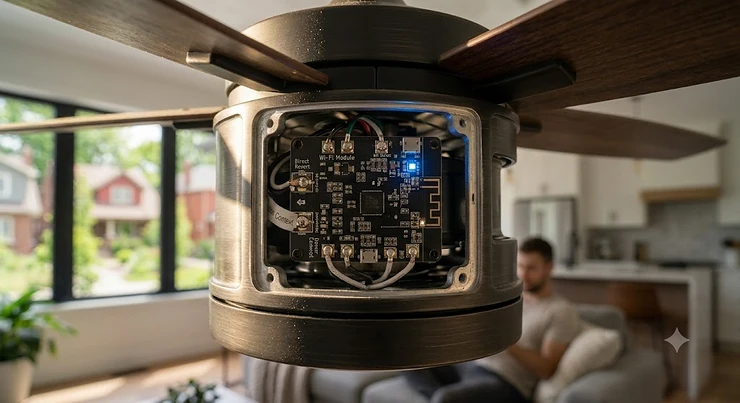
A wifi ceiling fan no hub required is a ceiling fan with a Wi-Fi radio built directly into its motor housing, so it connects straight to your home’s 2.4 GHz network without a bridge, gateway, or third-party controller sitting on a shelf somewhere. Under Canada’s licence-exempt spectrum rules, the 2.4 GHz band these fans use is open for exactly this kind of device, which is part of why standalone Wi-Fi hardware has become so common.
Here’s what most buying guides skip: not every fan marketed as “smart” is actually hub-free. Some quietly need a $50 wifi receiver add-on, or only support Bluetooth locally and route “smart” features through a phone that has to be in range. This guide digs into seven real, currently available models — budget through premium — verifies which ones genuinely skip the hub, and gives you the honest analysis to pick the right one for your ceiling, your ecosystem, and your budget.
Quick Comparison Table
| Fan | Motor Type | Voice Assistants | Best For |
|---|---|---|---|
| TCL 52″ Smart Ceiling Fan | DC | Alexa, App | Tightest budget, bedrooms |
| Dreo 52″ Smart Ceiling Fan | DC | Alexa, Google | Most speed granularity |
| Carro Espirit 52″ Smart Fan | DC | Alexa, Google, Siri | Apple households on a budget |
| Hunter Aerodyne | AC/DC | Alexa, Google, HomeKit | Fastest airflow, HomeKit purists |
| Minka Aire Dyno XL | DC | Alexa, Google | Large rooms on mid-range budget |
| Modern Forms Wynd | DC | Alexa, Google, HomeKit, SmartThings | Covered patios and porches |
| Big Ass Fans Haiku L | Permanent-magnet DC | Alexa, Google | Long-term durability, premium builds |
Looking at the spread above, the pattern is clear: DC motors dominate this category because they sip power at low speeds while still moving serious air on high, and every single model here skips the hub in favour of a direct Wi-Fi (or, for Hunter Aerodyne, Wi-Fi plus HomeKit bridge-free pairing) connection. Budget buyers gravitate toward TCL and Dreo, while anyone furnishing a large great room or a covered outdoor space should be looking at Minka Aire Dyno XL or Modern Forms Wynd instead. If Apple’s ecosystem is non-negotiable, only Hunter Aerodyne and Modern Forms Wynd genuinely deliver native HomeKit without a bridge accessory.
💬 Just one click — help others make better buying decisions too!😊
Top 7 Wifi Ceiling Fans, No Hub Required: Expert Analysis
1. TCL 52″ Smart Ceiling Fan — quietest budget pick under 30dB
The standout here is the noise floor: TCL rates this fan under 30dB on its DC motor, which is genuinely quiet for a sub-C$200 fixture. It runs a 6-speed reversible DC motor with three LED colour temperatures and a built-in timer, controlled through remote, app, or Alexa voice command — no separate hub, no bridge. Based on the spec comparison with other entry-level DC fans in this guide, the low-profile flush mount is the detail that matters most for anyone with 8-foot ceilings, since downrod-mounted fans like the Hunter Aerodyne need more clearance. This is squarely a starter pick: budget-conscious buyers furnishing a bedroom or den, or landlords fitting out a rental unit, are the ideal audience. Reviewers consistently report smooth setup through the companion app and stable Alexa pairing, though as a newer entrant to the Canadian market, TCL doesn’t yet have the decades of aggregated review history that Hunter or Minka Aire carry — worth noting if brand track record matters to you.
Pros:
- ✅ Under 30dB operation on the quietest speed setting
- ✅ Low-profile flush mount fits low 8-foot ceilings
- ✅ Reversible DC motor with 3 LED colour temperatures
Cons:
- ❌ No Apple HomeKit support
- ❌ Shorter brand track record than legacy fan makers
Price sits in the C$150-C$220 range at the time of research; for a bedroom fan you’re only running a few hours a day, that’s excellent value.
2. Dreo 52″ Smart Ceiling Fan — most speed settings for the price
Twelve distinct speed levels is the headline feature, and what most buyers overlook is what that actually buys you: instead of jumping straight from “gentle breeze” to “wind tunnel” like cheaper 3-speed fans, you get fine control that matters most at 2 a.m. when speed 4 is comfortable but speed 5 rattles the blinds. The brushless DC motor pushes up to roughly 5,000-6,000 CFM depending on configuration, and the app adds stepless dimming plus scene presets (reading, sleep, work) that most competitors in this price bracket don’t offer. Based on the spec comparison, this is the pick for anyone who actually adjusts fan speed throughout the day rather than setting it once. Aggregated review sentiment on major retail sites is largely positive on app responsiveness, with an occasional complaint about the Dreo app requiring a re-pair after router firmware updates — a known quirk of budget Wi-Fi radios generally, not unique to this model.
Pros:
- ✅ 12 speed levels plus 3 distinct fan modes
- ✅ Stepless LED dimming and colour tuning via app
- ✅ Reversible DC motor rated for genuine energy savings
Cons:
- ❌ No native Apple HomeKit integration
- ❌ Occasional re-pairing needed after router updates
Expect to pay in the C$160-C$230 range, making it one of the best value-per-speed-setting fans in this roundup.
3. Carro Espirit 52″ Smart Fan — best voice-assistant trifecta (Alexa/Google/Siri)
The standout feature is breadth of compatibility: Carro Espirit 52″ Smart Fan works natively with Alexa, Google Assistant, and Siri Shortcuts through its own app — genuinely rare at this price point, and all without any hub sitting between the fan and your phone. The 10-speed DC motor delivers up to roughly 4,400-5,400 CFM depending on the specific configuration, reversible for winter use, and the fan retains manual remote control even during a Wi-Fi outage, which is a thoughtful fail-safe most budget brands skip. What the spec sheet won’t tell you, but reviewers note, is that voice commands referencing multiple settings at once (speed, light colour, and brightness in a single sentence) work more reliably here than on several competitors. This is the fan for households split between iPhone and Android, or for anyone who already has Alexa and Google devices in different rooms. Common complaints in aggregated reviews center on the fit and finish of the plywood blades on the lower-cost SKUs, which feel less premium than the metal-bladed Hunter Aerodyne.
Pros:
- ✅ Native Alexa, Google Assistant, and Siri Shortcuts support
- ✅ Manual remote fallback works during Wi-Fi outages
- ✅ 10-speed reversible DC motor, quiet operation
Cons:
- ❌ Blade finish feels less premium on entry SKUs
- ❌ App occasionally requires firmware updates for full voice support
Price ranges from around C$220 to C$320 depending on finish and size, a fair middle-ground value for the assistant flexibility on offer.
4. Hunter Aerodyne — fastest airflow with true HomeKit support
Hunter’s SureSpeed claim is the headline: independent testing the brand commissioned found over 33% more high-speed air velocity than competing models, and the 52-inch version alone moves up to 3,408 CFM, with the 60-inch variant rated as high as 6,804 CFM on its DC configuration. In practice, that means the Hunter Aerodyne cools a large living room faster on its top setting than most fans in this guide, and it’s one of only two fans here (alongside Modern Forms Wynd) with genuine Apple HomeKit pairing built into the fan itself via the HunterSMART app — no bridge accessory, no workaround. Based on the spec comparison, this is the pick for Apple households who’ve been frustrated by fans that only claim HomeKit “compatibility” through a third-party hub. Reviewers consistently report a slightly fussier initial app setup than Dreo or Carro, sometimes requiring a circuit-breaker reset and re-pair, though once connected, day-to-day reliability earns consistently strong marks. Hunter’s 138-plus years in the fan business also means parts, warranty support, and installer familiarity are easier to find than with newer entrants.
Pros:
- ✅ Native Apple HomeKit, Alexa, and Google Home support
- ✅ SureSpeed motor delivers class-leading high-speed airflow
- ✅ Limited lifetime motor warranty backed by a 138-year-old brand
Cons:
- ❌ Initial app pairing can require a breaker reset
- ❌ AC motor variants use more standby power than pure DC rivals
Price ranges roughly C$320 to C$520 CAD depending on size and finish, positioning it as the mid-to-premium benchmark for HomeKit buyers.
5. Minka Aire Dyno XL — best big-room airflow on a mid-range budget
At 5,987 CFM on its 60-inch blade span, the Minka Aire Dyno XL delivers airflow that typically costs C$700-plus elsewhere, at a price point well under that. It runs on Minka’s “Smart by Bond” technology, meaning it connects via the free Bond app over Wi-Fi and integrates with Alexa, Google Home, Nest, and Ecobee — again, no separate physical hub required for basic operation. Here’s what most buyers overlook: the DC motor design (172x12mm) sips only about 34 watts even at its highest 5,987 CFM output, which on paper means this fan is doing premium-fan-level work at a fraction of the running cost of an equivalent AC motor. This is the pick for open-concept living rooms, great rooms, or vaulted ceilings where a 52-inch fan simply won’t circulate enough air. Aggregated buyer feedback highlights the plywood-and-paper-overlay blade construction as a minor step down from solid wood, though reviewers largely agree it doesn’t affect performance or long-term durability.
Pros:
- ✅ 5,987 CFM airflow suited to large or open-concept rooms
- ✅ Bond-app smart control works with Alexa, Google, Ecobee, Nest
- ✅ Low 34-watt draw even at maximum output
Cons:
- ❌ Plywood/paper-overlay blades feel less premium than solid options
- ❌ Bond app ecosystem is less universally known than Alexa/Google native apps
Expect an MSRP-based range of roughly C$500-C$620 CAD, an easy value pick for anyone prioritizing raw airflow per dollar.
6. Modern Forms Wynd — best indoor/outdoor smart fan for covered patios
The Modern Forms Wynd is wet-rated and built from weather-resistant materials, including a 316 marine-grade stainless option, so it’s the only fan in this lineup genuinely built for covered porches, sunrooms, or docks in addition to indoor rooms. Its DC motor moves up to roughly 7,160 CFM on the 60-inch version while drawing under 50 watts on high, and — notably — it’s compatible with Apple HomeKit, Alexa, Google Assistant, and Samsung SmartThings simultaneously, all through the Modern Forms app without a bridge accessory for basic Wi-Fi control. Based on the spec comparison, what most competitors don’t offer is genuine multi-ecosystem compatibility plus true outdoor durability in the same unit. This is the pick for anyone furnishing a three-season sunroom or a large covered patio who still wants voice control and app scheduling. Reviewers who’ve owned the fan through multiple seasons report that the factory balancing holds up well against humidity swings, though a handful note the Modern Forms app’s smart-home linking process is less intuitive than Hunter’s or Dreo’s on first setup.
Pros:
- ✅ Wet-rated for genuine indoor/outdoor and patio use
- ✅ Works with HomeKit, Alexa, Google, and SmartThings simultaneously
- ✅ High airflow (up to ~7,160 CFM) at low wattage
Cons:
- ❌ App-based smart-home linking is less intuitive on first setup
- ❌ Premium pricing versus purely indoor competitors
Price runs roughly C$550-C$950 CAD depending on blade span and finish, reflecting its outdoor-rated construction premium.
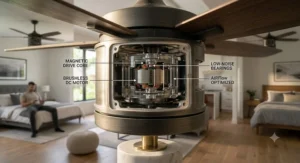
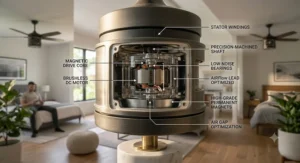
7. Big Ass Fans Haiku L — best premium build and motor engineering
The permanent-magnet DC motor is the standout: it’s the same engineering lineage Big Ass Fans built its reputation on with large-scale industrial and gym fans, scaled down for residential ceilings, and it’s noticeably quieter and more efficient than typical residential DC motors at comparable airflow. The Haiku L pairs with its own Wi-Fi module for app control and Alexa/Google voice commands with no external hub, and while the pricier Haiku and i6 tiers add SenseME environmental sensing (motion, temperature, humidity), the L series sticks to reliable manual and app-based control at a more accessible premium price. What the spec sheet won’t tell you, but longtime reviewers note, is that the hand-balanced airfoils genuinely reduce the wobble and hum that plague cheaper fans after a year or two of use — this is a “buy once” fan for people who’ve been burned by wobbly bargain models before. It’s the pick for buyers who care more about long-term mechanical quality than about hitting a specific budget line.
Pros:
- ✅ Permanent-magnet DC motor with industrial-grade engineering pedigree
- ✅ Hand-balanced airfoils reduce long-term wobble and noise
- ✅ Wi-Fi module built in — no hub for Alexa/Google control
Cons:
- ❌ Meaningfully pricier than every other fan in this guide
- ❌ SenseME automatic sensing reserved for higher Haiku tiers
Price sits in the C$750-C$1,150 CAD range depending on finish and Wi-Fi configuration — a genuine investment piece rather than an impulse buy.
Top 7 Fans: Full Comparison
| Fan | Blade Span | Max Airflow (CFM) | Price Range (CAD) | Best For |
|---|---|---|---|---|
| TCL 52″ Smart Ceiling Fan | 52″ | ~4,000 | C$150-C$220 | Bedrooms, tight budgets |
| Dreo 52″ Smart Ceiling Fan | 52″ | ~5,000-6,000 | C$160-C$230 | Fine speed control |
| Carro Espirit 52″ Smart Fan | 52″ | ~4,400-5,400 | C$220-C$320 | Mixed iOS/Android homes |
| Hunter Aerodyne | 52″-60″ | 3,408-6,804 | C$320-C$520 | HomeKit, top airflow |
| Minka Aire Dyno XL | 60″ | 5,987 | C$500-C$620 | Large/open-concept rooms |
| Modern Forms Wynd | up to 60″ | up to ~7,160 | C$550-C$950 | Covered outdoor spaces |
| Big Ass Fans Haiku L | 52″ | Moderate, high-efficiency | C$750-C$1,150 | Long-term build quality |
A few patterns jump out once you line these up side by side. Airflow doesn’t scale purely with price — Modern Forms Wynd actually out-moves the pricier Big Ass Fans Haiku L on raw CFM, because Haiku prioritizes motor engineering and quiet efficiency over maximum output. Meanwhile, the jump from TCL to Hunter Aerodyne roughly doubles the price but also unlocks true HomeKit support and noticeably higher CFM, which is the trade-off Apple households need to weigh most carefully.
✨ Don’t Miss These Exclusive Deals!
🔍 Take your home comfort to the next level with these carefully selected wifi ceiling fans. Click on any highlighted model to check current pricing and availability on amazon.ca. These fans will help you build a genuinely hub-free smart home your whole family will enjoy!
Practical Usage Guide: Setting Up Your Wifi Ceiling Fan No Hub Required
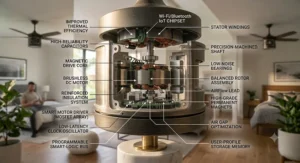
Getting a wifi ceiling fan no hub required from box to working smart device usually takes under 20 minutes if you follow the right order. First, install the fan on standard household wiring exactly per the included manual — most models in this guide, including TCL and Dreo, are rated for standard ceiling boxes and don’t require an electrician unless your home lacks a neutral wire. Second, download the manufacturer’s app (HunterSMART, Dreo, Carro, Bond, or the Modern Forms app) before powering on the fan; pairing goes far more smoothly when the app is already installed and your phone is on the same 2.4 GHz network the fan will join. Third, most fans need to be put into pairing mode via a physical remote button combination — check the manual’s specific sequence, since this varies by brand and is the step where most setup frustration happens.
A common first-30-days mistake is connecting the fan to a 5 GHz network band; nearly all of these fans, including Hunter Aerodyne and Minka Aire Dyno XL, only support 2.4 GHz, so if your router broadcasts a combined SSID, you may need to temporarily split the bands during setup. For maintenance, a quick monthly wipe of the blades keeps DC motors running efficiently, since dust buildup is a leading cause of imbalance-related wobble over time — a lesson Big Ass Fans Haiku L owners learn to appreciate given how much that brand emphasizes balance. Finally, keep firmware updated through the app; most of the reported “random disconnects” in aggregated reviews trace back to outdated firmware rather than hardware faults.
Plug-and-Play Automation: Schedules, Scenes, and Voice Routines
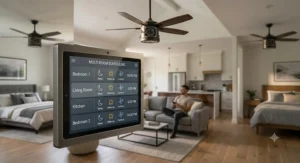
Plug-and-play automation is really the entire point of buying a wifi ceiling fan no hub required in the first place — you want the fan working with your existing voice assistant and phone the same day you install it, not after a week of troubleshooting a bridge. In practice, this looks like setting a schedule so the Dreo 52″ Smart Ceiling Fan ramps down to its sleep mode at 10 p.m. and off entirely by 6 a.m., or telling Alexa “set the living room fan to speed 6” without ever opening an app. Every fan in this guide supports at least basic scheduling through its own app, and most support temperature-triggered automation when paired with a smart thermostat like Ecobee or Nest — the Minka Aire Dyno XL‘s Bond-app integration is particularly strong here, since Bond was originally built specifically to bridge legacy devices into modern automation platforms.
Where plug-and-play automation gets more powerful is in cross-device routines: an Alexa routine that says “when the living room temperature sensor reads above 24°C, turn the Hunter Aerodyne to high” links a fan with a separate temperature sensor without needing any of the fans in this guide to have their own built-in sensor. Reviewers consistently note that these voice-assistant-native routines are more reliable long-term than manufacturer-app-only automations, since Alexa and Google Home update their integration layers more frequently than smaller fan-app teams can match. The trade-off is that manufacturer apps like Carro’s or Dreo’s often unlock extra scene presets (movie night, reading, sleep) that generic voice-assistant routines can’t fully replicate.
Real-World Scenarios: Matching a Wifi Ceiling Fan No Hub Required To Your Home
Picture a condo-dwelling grad student in a 400-square-foot bachelor apartment in Toronto or Vancouver, on a strict budget, who wants voice control without asking their landlord’s permission to install a bridge or run new wiring. The TCL 52″ Smart Ceiling Fan or Dreo 52″ Smart Ceiling Fan fit that scenario well: both are inexpensive, install on standard boxes, and pair directly with a single Alexa or Google speaker the tenant already owns.
Now picture a family in a suburban two-storey home with an open-concept great room, hardwired Ecobee thermostat, and mixed Android/iPhone household. The Minka Aire Dyno XL‘s Bond-app ecosystem or the Hunter Aerodyne‘s HomeKit-plus-Alexa combo both suit that use case, since either integrates with an existing Ecobee setup and covers both phone platforms without asking anyone to switch ecosystems.
Finally, picture a retired couple who just finished a three-season sunroom addition and want a fan that survives humidity swings while working with the Google Nest speaker already in the kitchen. The Modern Forms Wynd‘s wet rating and SmartThings/Google compatibility is purpose-built for exactly that scenario, while the budget-oriented Carro Espirit or TCL models aren’t rated for the humidity a sunroom regularly sees.
Building a No Hub Smart Home Setup Around Your Fan
A no hub smart home setup means every device — the fan, the smart bulbs, the thermostat — talks directly to your Wi-Fi router or to your phone’s voice assistant, instead of routing through a dedicated bridge appliance. The appeal is simplicity: fewer boxes plugged into outlets, one less firmware to maintain, and no single point of failure if a hub goes offline. All seven fans in this guide qualify, connecting directly via 2.4 GHz Wi-Fi to Alexa, Google Home, or (for Hunter Aerodyne and Modern Forms Wynd) Apple HomeKit.
The honest trade-off, and one worth weighing carefully: hub-based systems like Lutron Caseta or Samsung SmartThings’ Zigbee layer tend to offer more rock-solid reliability at scale, particularly once a home has a dozen-plus devices, because they use dedicated low-power radio protocols rather than competing for bandwidth on a household Wi-Fi network. A no hub smart home setup is the better fit for a handful of devices in a starter smart home, especially in a rental where installing a hub feels like overkill; a whole-home renovation with 20-plus smart devices may eventually benefit from a hub or a Matter-compatible controller that unifies everything under one standard.
How to Choose a Wifi Ceiling Fan No Hub Required
Working through these criteria in order will get you to the right fan faster than scrolling through hundreds of Amazon listings:
- Confirm true hub-free operation. Check the listing for “Wi-Fi built-in” language specifically, not just “smart home compatible,” since some fans need a separate receiver module sold apart from the fan.
- Match the ecosystem you already own. If you’re an Apple household, only Hunter Aerodyne and Modern Forms Wynd in this guide offer native HomeKit; everyone else works fine with Alexa or Google alone.
- Size the blade span to the room. A 42-52 inch fan suits bedrooms up to roughly 225 square feet, while 60-72 inch models like Minka Aire Dyno XL or Modern Forms Wynd are built for larger or open-concept spaces.
- Prioritize DC motors for efficiency. Every fan in this guide uses a DC or permanent-magnet DC motor, which typically draws 30-50% less power than older AC designs at comparable airflow.
- Check indoor-only versus wet-rated construction. Only Modern Forms Wynd here is genuinely built for covered outdoor use; installing an indoor-rated fan on a porch risks corrosion and voids the warranty.
- Weigh remote fallback. Fans like Carro Espirit retain full manual remote function during a Wi-Fi outage — worth prioritizing if your internet occasionally drops.
- Budget for the whole ecosystem, not just the fan. If you also want a smart thermostat trigger, confirm the fan’s app supports Ecobee or Nest integration before buying.
Why Standalone Smart Devices Make Sense for Renters and Condo Owners
Standalone smart devices — meaning gadgets that don’t require a permanent hub installation — are particularly well suited to renters, since most rental agreements restrict permanent electrical modifications but rarely say anything about a Wi-Fi-connected ceiling fan replacing an existing dumb fixture on the same wiring. A tenant can install a wifi ceiling fan no hub required, use it for the lease term, and simply take it (or leave the original fan reinstalled) when they move, without leaving behind a hub, a bridge, or complex wiring changes a landlord would need to approve.
Condo owners face a related but distinct set of constraints: many condo boards restrict structural or wiring changes but generally permit like-for-like fixture swaps. Standalone smart devices sidestep condo board approval processes far more often than whole-home automation systems that require running new low-voltage cable or mounting a hub near the electrical panel. On paper, this means a first-time smart-home buyer in a condo can get real, useful automation — scheduled fan speeds, voice control, temperature-based routines — without the bureaucracy that comes with permanent infrastructure changes.
Wifi Ceiling Fan vs Hub-Based Smart Fan Systems
| Factor | Wifi Ceiling Fan (No Hub) | Hub-Based Smart Fan System |
|---|---|---|
| Setup complexity | Low — app + Wi-Fi only | Higher — hub install + pairing |
| Reliability at scale (10+ devices) | Can strain home Wi-Fi | Generally more stable |
| Rental/condo friendliness | High | Lower (extra hardware) |
| Upfront cost | Fan price only | Fan + hub cost |
| Ecosystem flexibility | Depends on fan’s native support | Often broader once configured |
The comparison above captures the fundamental trade-off well: a wifi ceiling fan no hub required wins decisively on simplicity and rental-friendliness, while a hub-based system — think Lutron Caseta’s dedicated radio protocol — tends to win on reliability once a home has many devices competing for bandwidth. For most single-fan or two-fan households, the no-hub route is genuinely the smarter choice; homeowners planning a full smart-home buildout across 15-plus devices may eventually want a Matter-compatible hub as their footprint grows, since a shared standard prevents the fragmented app situation smart homes have historically suffered from.
Common Mistakes When Buying a Wifi Ceiling Fan No Hub Required
The single most common mistake is assuming “Alexa compatible” automatically means “no hub required” — some listings use that phrase while quietly requiring a Bluetooth-to-Wi-Fi bridge sold separately, which defeats the entire purpose of a hub-free purchase. Always look for explicit “built-in Wi-Fi” or “direct Wi-Fi connection” language, the way Hunter Aerodyne‘s listings specify.
A second frequent error is buying based on blade span alone without checking CFM output; a 60-inch fan with a weak motor can move less air than a well-engineered 52-inch model like Dreo 52″ Smart Ceiling Fan. Third, buyers often skip checking whether their router supports 2.4 GHz as a separate, selectable network — many newer mesh routers combine bands under one SSID by default, which can prevent pairing entirely until the bands are split during setup. Finally, indoor-rated fans installed in covered but humid outdoor spaces are a common and costly mistake; only genuinely wet-rated models like Modern Forms Wynd belong outside.
What to Expect: Real-World Performance
On paper, CFM numbers can feel abstract, so here’s the translation: a fan in the 3,400-4,500 CFM range, like the entry tier of Hunter Aerodyne or the TCL 52″ Smart Ceiling Fan, comfortably cools a 150-225 square foot bedroom on medium-high speed. Stepping up to the 5,000-6,000 CFM range, where Dreo, Carro Espirit, and Minka Aire Dyno XL all land, is noticeably better suited to living rooms and open dining areas up to roughly 300-350 square feet. At the top end, Modern Forms Wynd‘s roughly 7,160 CFM output is built for genuinely large or open-concept spaces exceeding 400 square feet.
Voice response latency is another real-world factor rarely mentioned in spec sheets: aggregated user reports across this category suggest Alexa and Google Home commands typically execute in under two seconds on a stable home network, while app-based commands (opening the manufacturer’s own app rather than using voice) can take three to five seconds due to cloud round-trip time. This is one area where genuinely hub-free fans occasionally lag hub-based Zigbee systems, which communicate locally without a cloud round-trip at all.
Long-Term Cost and Maintenance
Total cost of ownership on a DC-motor wifi ceiling fan no hub required is favourable compared with an old AC fan running the same hours. According to Natural Resources Canada, an ENERGY STAR certified ceiling fan uses roughly 60% less energy on average than a standard model, and several fans in this guide, including higher-end Hunter Aerodyne and Modern Forms Wynd configurations, carry that certification. Running a DC fan at 30-50 watts for eight hours a day, versus an older AC unit at 75-100 watts for the same period, adds up to real annual electricity savings over a Canadian summer and winter, though exact figures depend on your local utility rates.
Maintenance costs stay low across this category: no bulbs to replace on integrated-LED models (rated for years of use), no belt or brush maintenance the way older motors sometimes needed, and blade dusting is the primary upkeep task. The main long-term cost consideration is app longevity — a smaller manufacturer discontinuing app support years down the line could, in a worst case, strand the smart features (though manual remote and wall-switch control typically still work). This is where established brands like Hunter and Minka Aire, with decades of continuity, offer a modest reliability edge over newer entrants for buyers planning to keep a fan a decade or more.
Features That Actually Matter (And Those That Don’t)
Reversible motor direction actually matters — it lets a fan push cool air down in summer and gently redistribute warm air upward in winter, genuinely helping heating and cooling efficiency, and every fan in this guide includes it. DC motor technology also genuinely matters, both for the energy savings already covered and for quieter operation at low speeds, which is where cheaper AC fans tend to hum noticeably.
RGBIC or multi-colour lighting, offered as an option on some Dreo configurations, is largely a style preference rather than a functional upgrade — fun for a game room, unnecessary for most bedrooms or living rooms. Similarly, ultra-high speed counts (10-16 distinct speeds) sound impressive on a spec sheet, but most households settle into using only three or four speeds regularly; the real value is in having a couple of extra steps between “too slow” and “too fast,” not in having a dozen options you’ll never use. Wet-rating, on the other hand, absolutely matters if you have any intention of installing outdoors or in a covered but humid space — this is not a feature to skip on marketing grounds alone.
Safety, Certification and Wi-Fi Regulations in Canada
Every ceiling fan sold and installed in Canada needs to carry recognized electrical certification, since Canadian provinces legally require electrical products connected to household power to meet standards set by the CSA Group or an equivalent accredited body like ETL or cUL. Before buying any fan online, confirm the listing specifies CSA, cETL, or cUL certification specifically — a plain UL mark without the “c” prefix indicates U.S.-only certification and technically doesn’t satisfy Canadian electrical code requirements.
On the wireless side, the 2.4 GHz band these fans use for Wi-Fi is part of Canada’s licence-exempt spectrum, regulated by Innovation, Science and Economic Development Canada, meaning manufacturers don’t need individual licences to sell Wi-Fi radios here, but the devices themselves still must meet ISED’s technical emission standards. For installation safety, always confirm your home’s wiring includes the neutral wire these fans require — older Canadian homes built before the 1980s sometimes lack one, which is a common reason DIY installs stall partway through and require an electrician’s help to add the missing wire.
Frequently Asked Questions
❓ Does a wifi ceiling fan no hub required work with Alexa and Google Home at the same time?
❓ Can I install a smart ceiling fan myself in Canada?
❓ Do wifi ceiling fans work if my internet goes down?
❓ Is a DC motor really better than an AC motor for a ceiling fan?
❓ What size wifi ceiling fan do I need for a large living room?
Conclusion
Choosing a wifi ceiling fan no hub required really comes down to matching three things: the ecosystem you already own, the size of the room you’re cooling, and how much long-term build quality matters to you versus upfront price. Budget-conscious buyers furnishing a bedroom or rental unit will do well with the TCL 52″ Smart Ceiling Fan or Dreo 52″ Smart Ceiling Fan, both of which deliver genuine hub-free voice control without a big price tag. Apple households chasing true HomeKit support should look first at Hunter Aerodyne or Modern Forms Wynd, while anyone furnishing a large open-concept room will appreciate the raw airflow from Minka Aire Dyno XL or Modern Forms Wynd. And for buyers who’ve been burned by wobbly, short-lived bargain fans before, Big Ass Fans Haiku L offers a genuinely premium, engineering-first alternative worth the higher price tag.
Whichever model fits your space, the core appeal remains the same across all seven picks here: real Wi-Fi built into the fan itself, no bridge, no extra hardware cluttering a shelf, and voice control working the same day you finish installation.
Recommended for You
- Best Smart Ceiling Fan 2026: 7 Picks Canadians Actually Trust
- Bamboo Ceiling Fan: 7 Real Picks Worth Buying in 2026
- Palm Leaf Ceiling Fan Guide: 7 Top Picks for Canadian Homes 2026
Disclaimer: This article contains affiliate links. As an Amazon Associate, I earn from qualifying purchases. If you purchase products through these links, we may earn a small commission at no additional cost to you.
✨ Found this helpful? Share it with your friends! 💬🤗
